Concept app: creating consistency for Unstoppable user who move from Web to Mobile App
Unstoppable Domains offers users NFT-based domain names that can be bought and minted for storing multiple crypto addresses under a personalized name, simplifying transactions throughout the blockchain. The mobile app was designed to assist users in managing their acquired domains or overseeing their account wallet in general. However, there were a few obstacles with the first version of the mobile application.
Client:
Unstoppable Domains
My role:
Researcher, UX Designer
Time line
April 2022
The observation
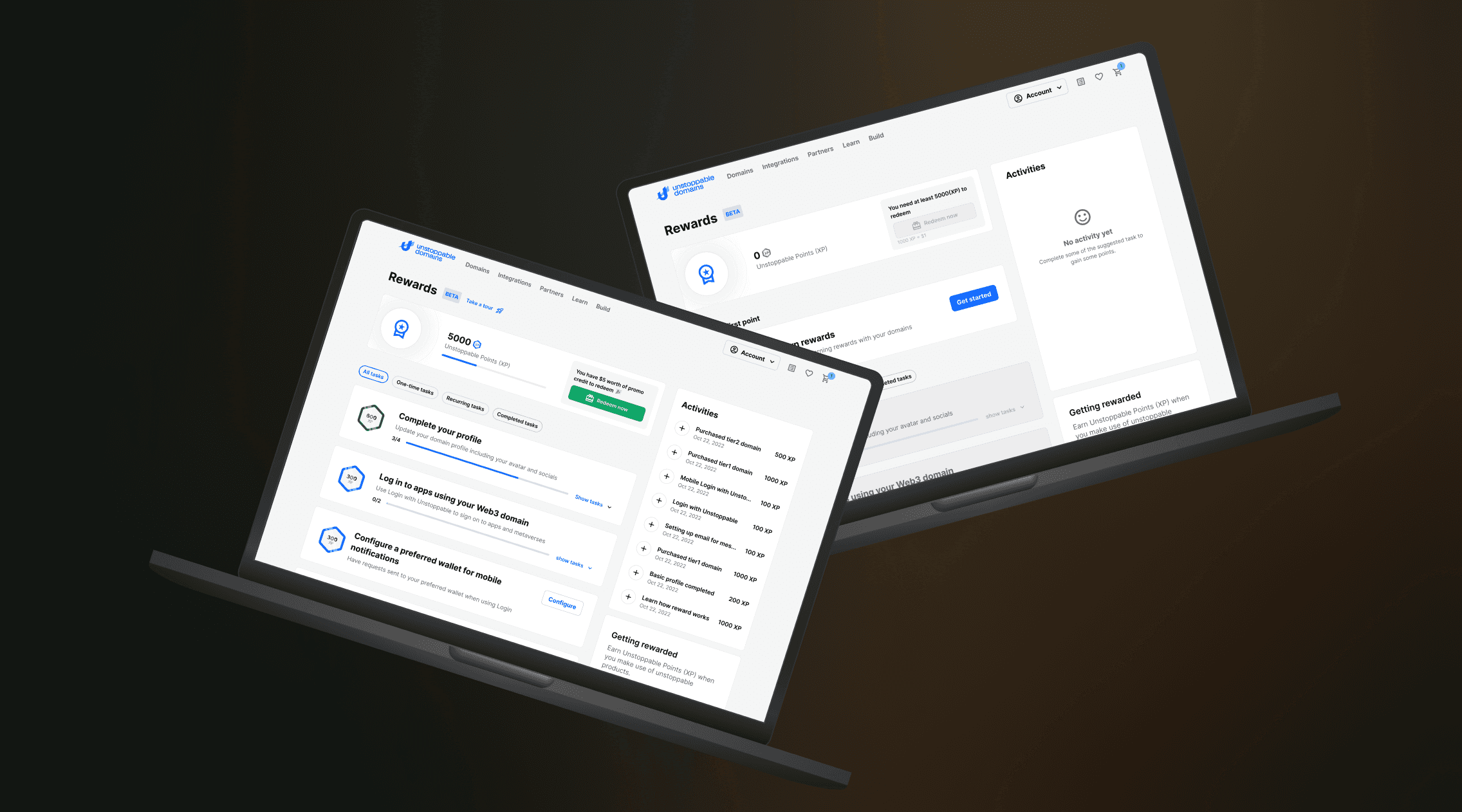
Users who download the mobile app are not sure whether or not they are using the official Unstoppable Domains mobile app. (The web app looks different)
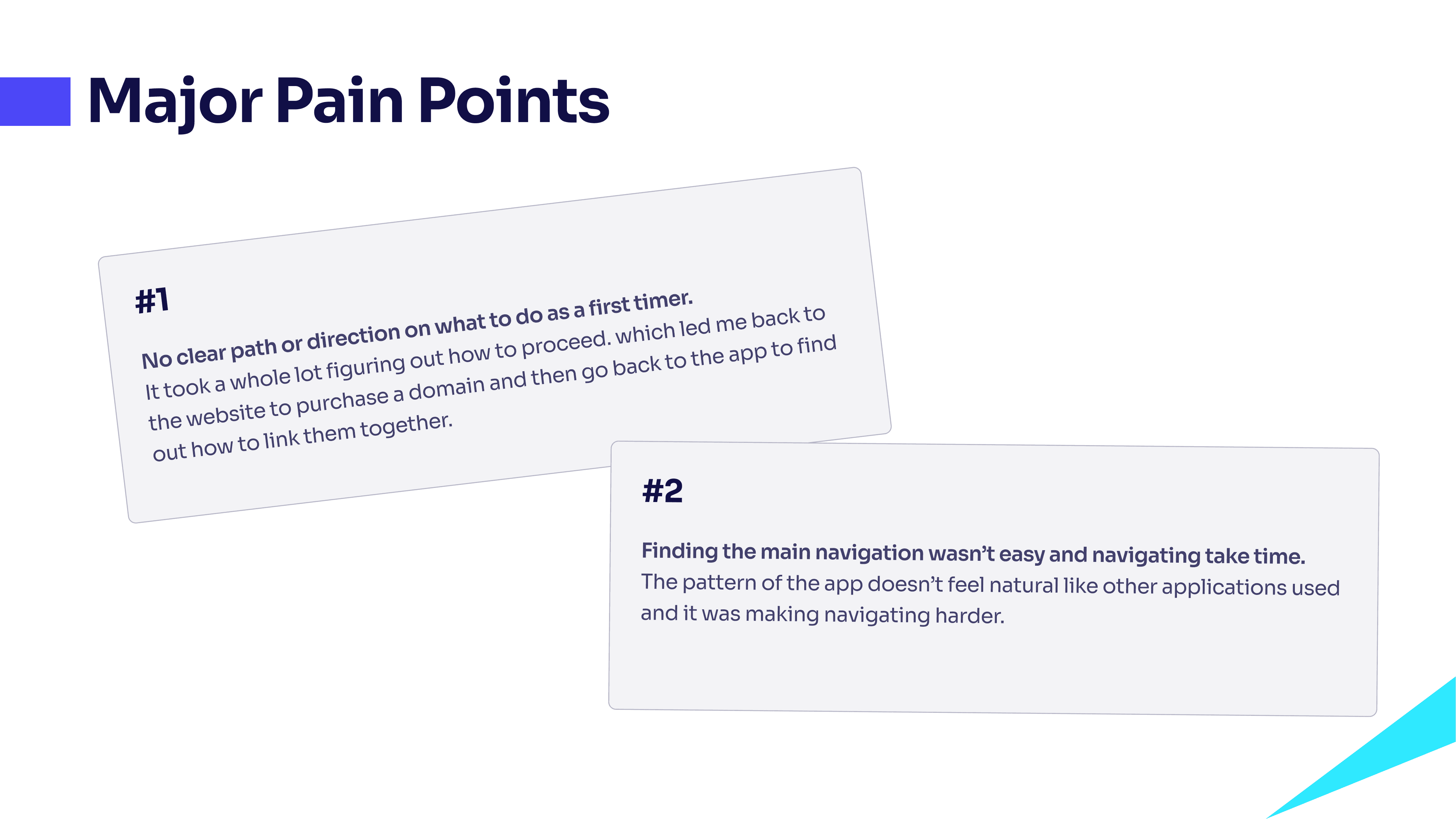
Upon downloading the mobile app, users do not know where to start or how to properly navigate to take full advantage of the utility offered by the app.
The goal
Create a more natural and simplified navigation flow that highlights the core functionality of the app.
Create a sense of continuity for users who switch from web to mobile
Research summary
Being a user of the platform for the first-time, it was easier to put myself deeply into the mind of a traditional user due to time constraints. Observation method of research was a more preferred choice to go with for this project and having a clear goal in mind made the process better.
The research comprises of going through the website, purchasing domains, downloading the app and try to complete some tasks in mind to have a feel about how it works and understand what my experience using it was like.
Solution
Unify style guide to make web and mobile app feel similar
Make use of labelled bottom navigation
Improve onboarding process
Clear CTAs and copy to direct users
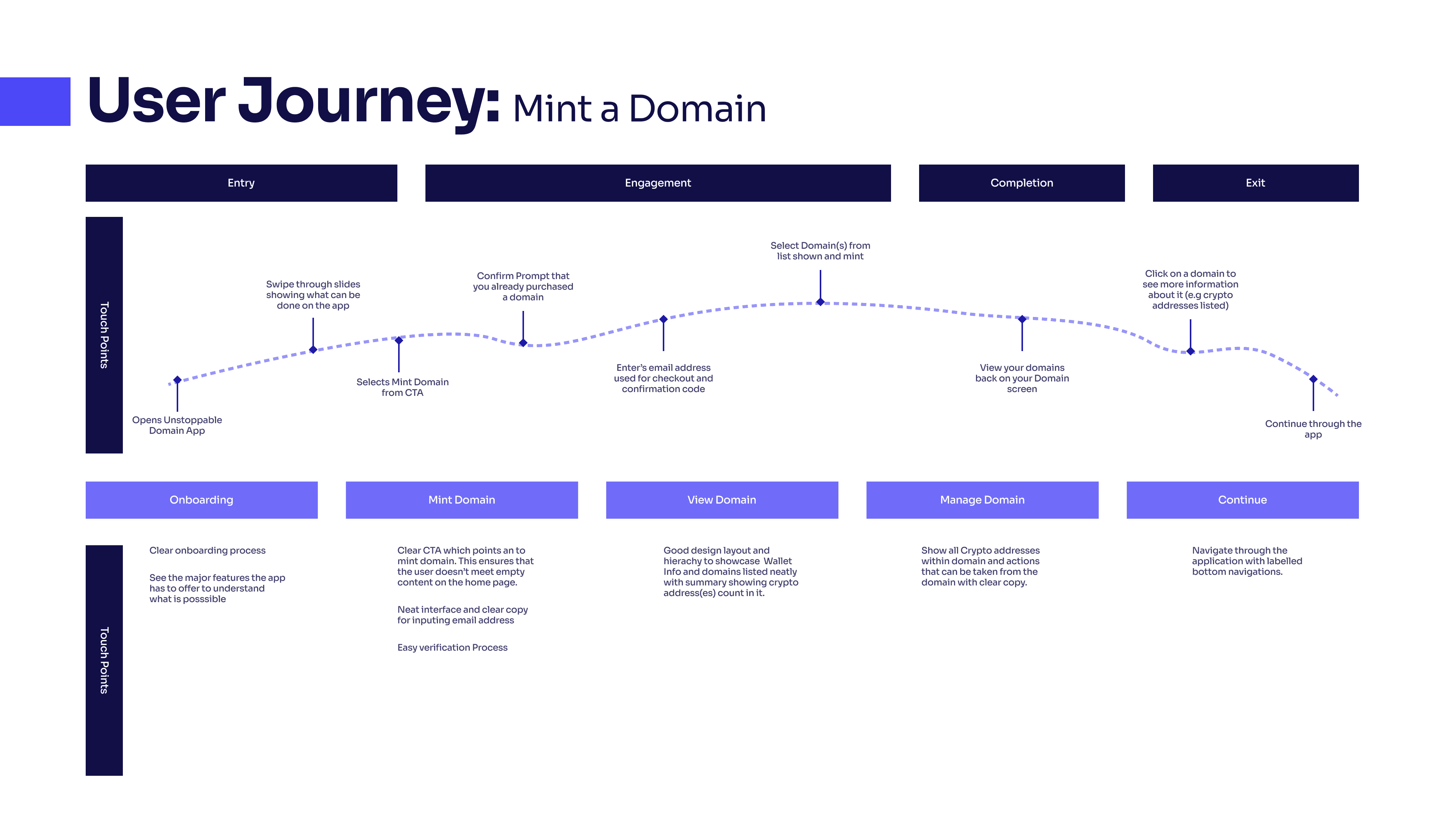
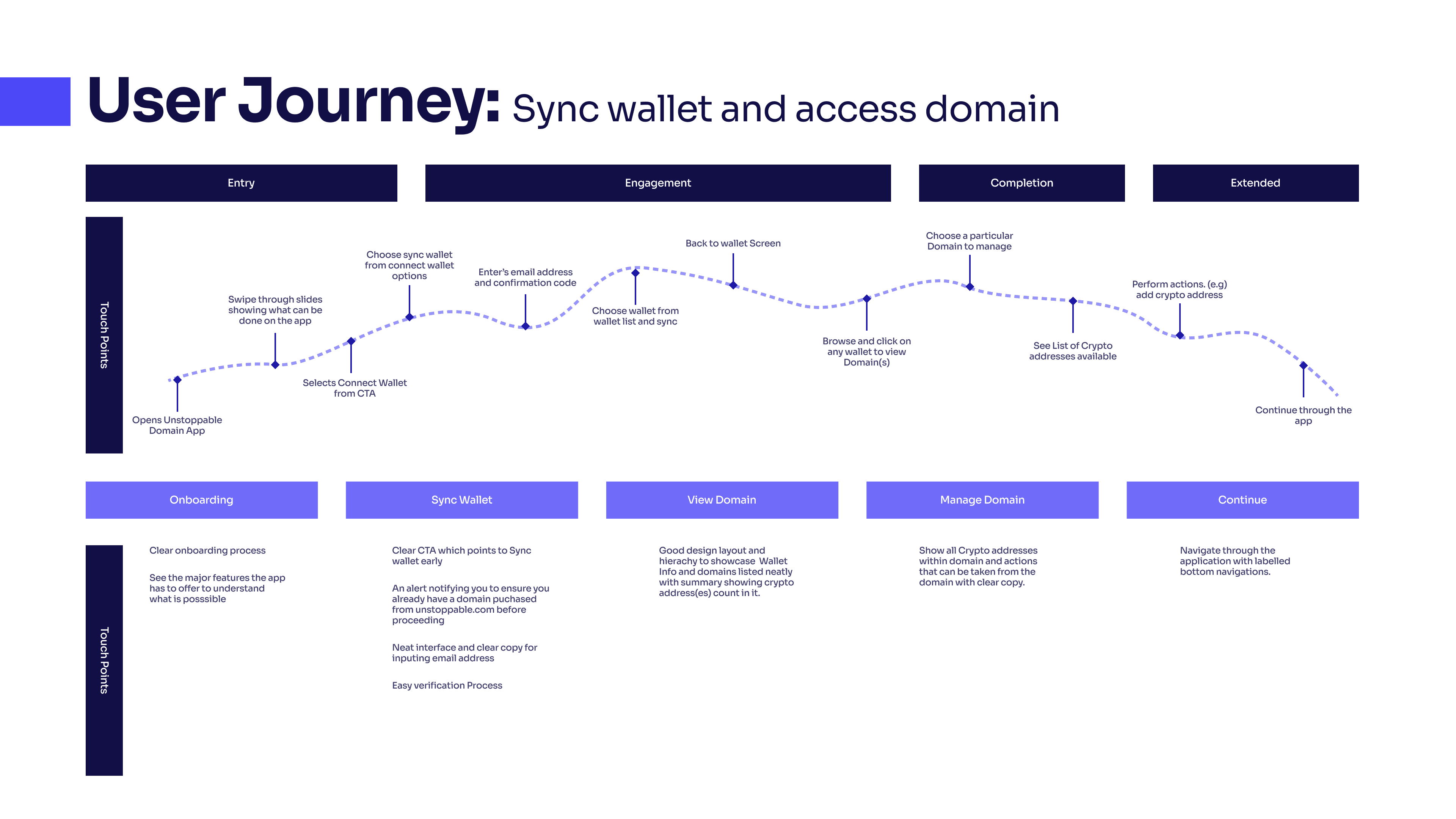
User Journey & Information Architecture
After outlining some solutions the next step was to identify the core features for the app and use those core features to draw out a User Journey map and follow it up with the Information Architecture.
Core Features Outlined
Minting a domain already purchased
Sync wallet
Access to domains
Key opportunities gotten during this stage
Flow for a better onboarding process to lead to the main key features
Simple process to complete primary objectives
Navigating back to secondary features easier and continuing on
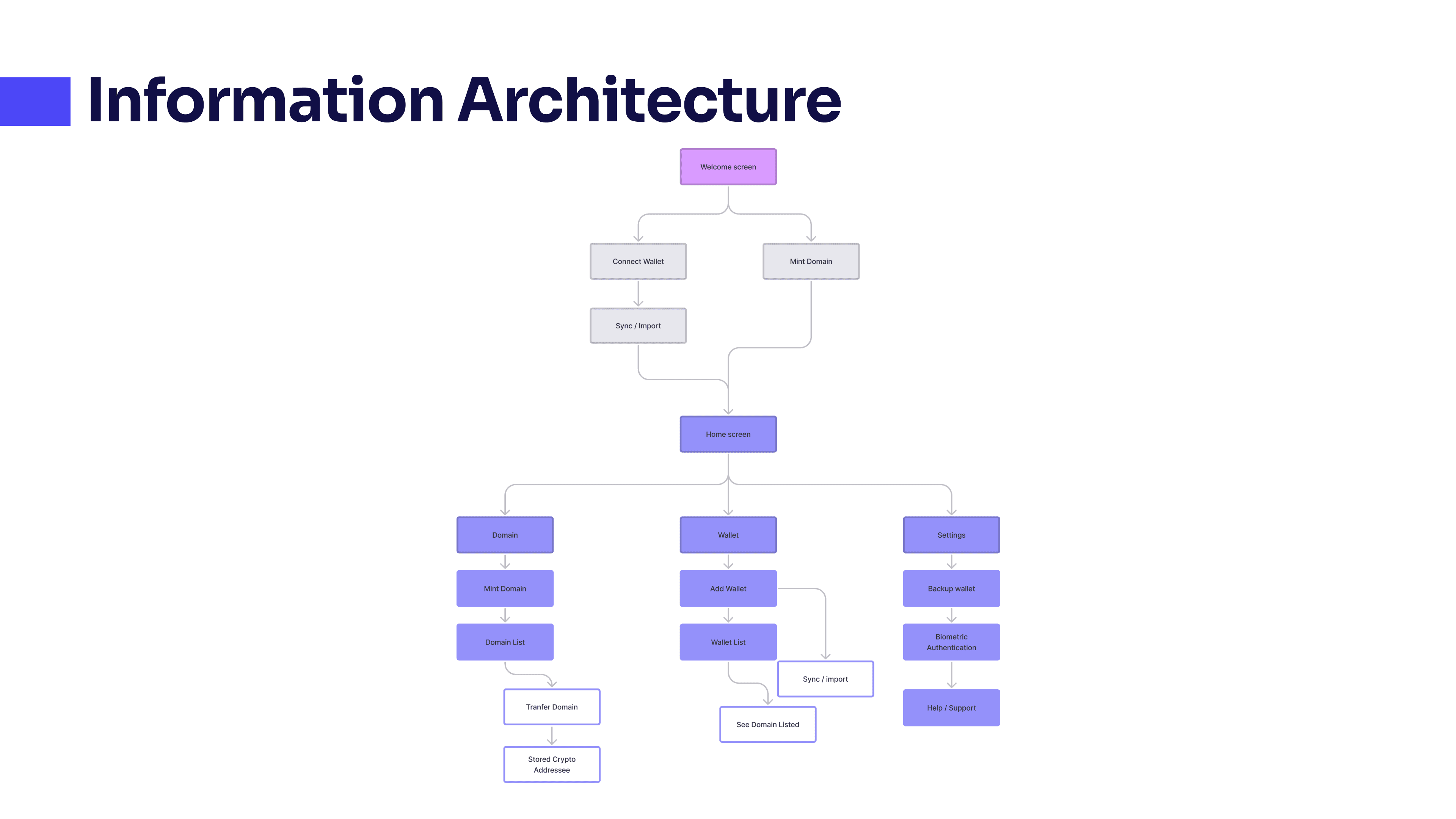
Structure and Architecture
Key take aways observed
Already existing information architecture needed slight modifications
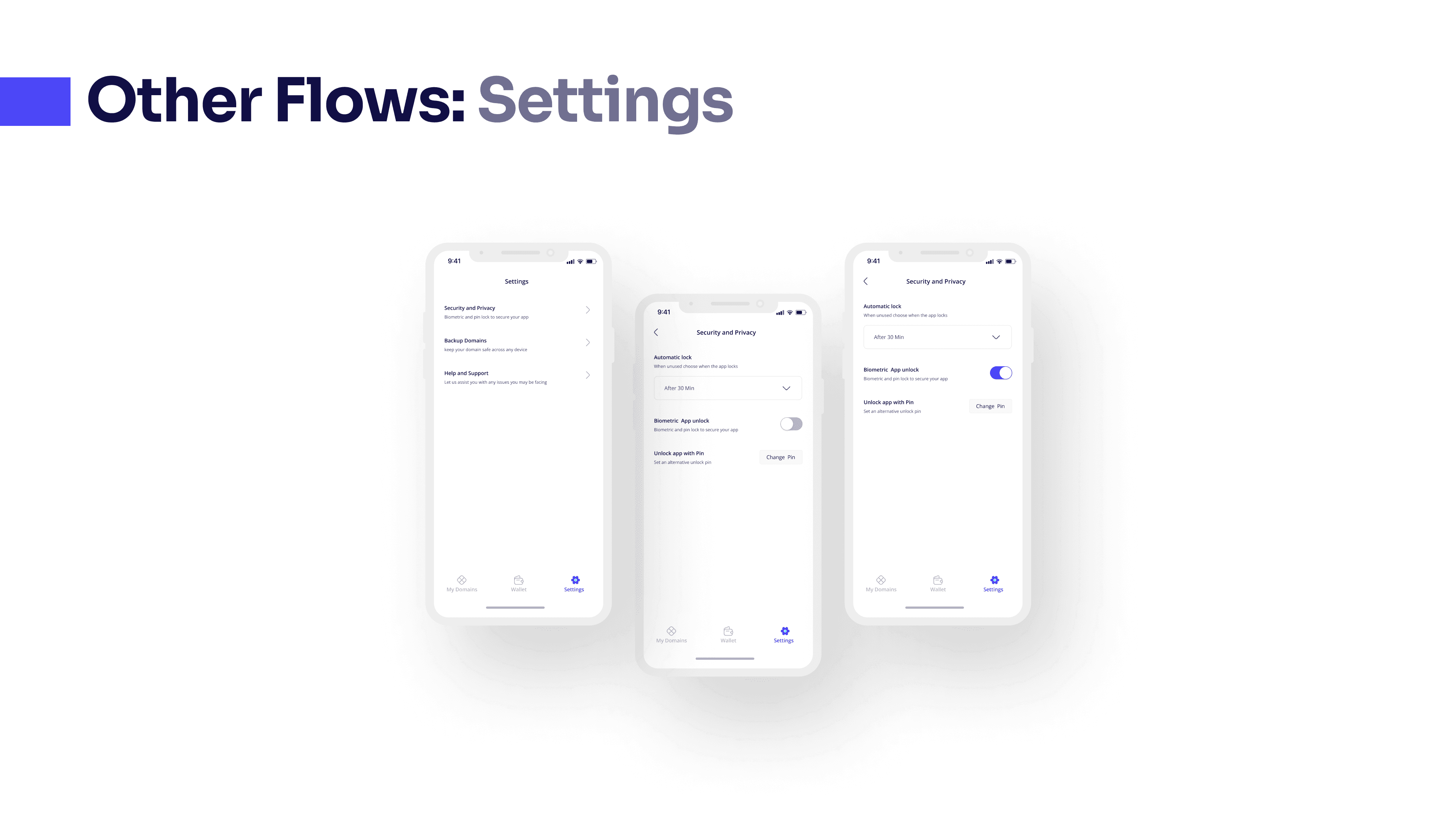
I noticed opportunities to repurpose the settings features to cater for other things missing before such as biometric authentication and backups
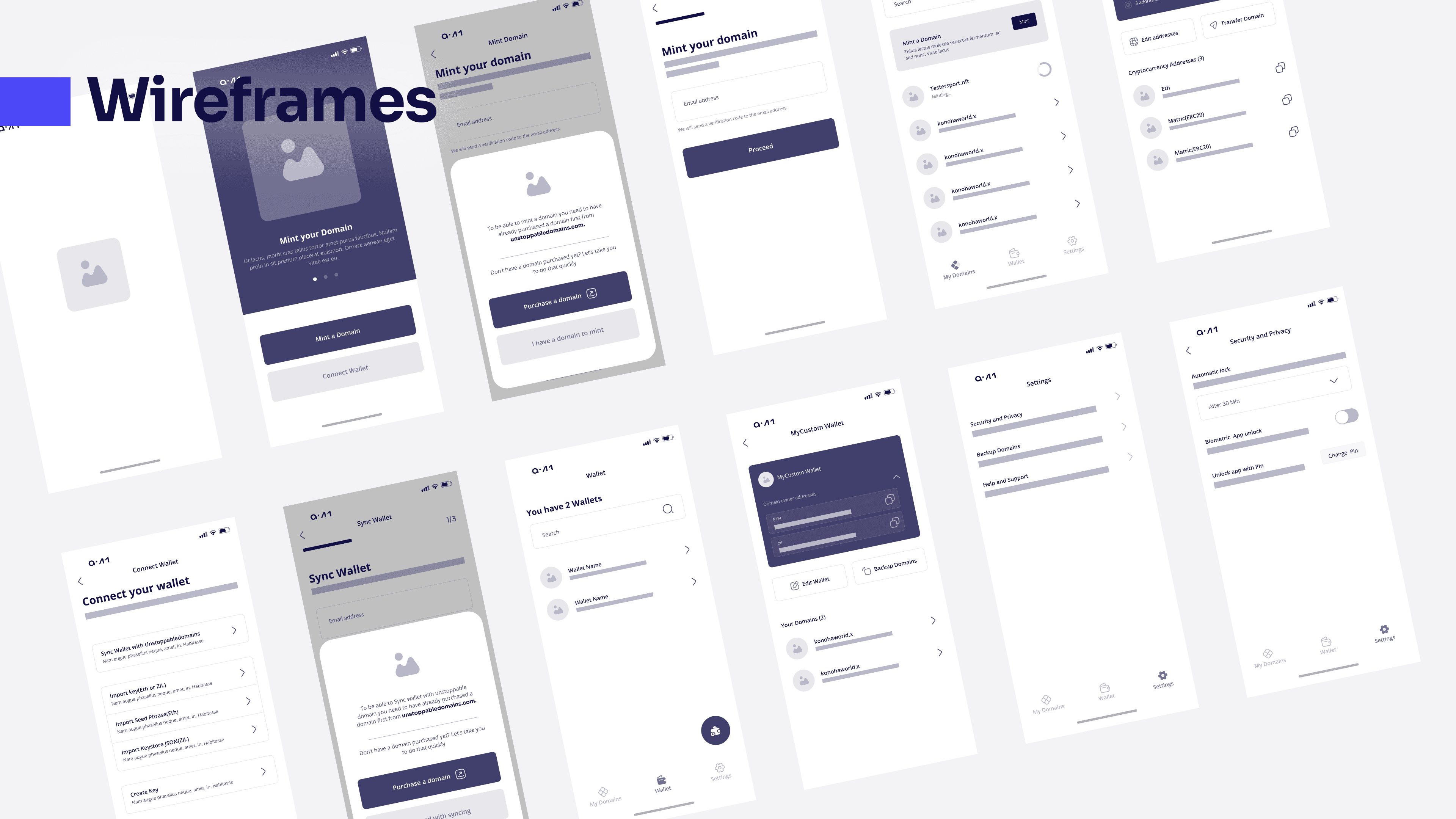
Wireframe
Before going ahead with the High-fidelity design. I started out with the wireframes to get a general overview of how the entire design will play out to be.It also gave me room to make changes earlier on before concluding on how to go about implementing the style guide on the high-fidelity designs.
Design Decisions
After concluding with the wireframes I proceeded to the High-Fidelity Stage which consisted of;
Rounding up with the design style guide
Refining wireframes to Hi-Fi
Adjusted the designs to make it more fitting in style with the Website
The major areas the design focused on were
Rounding up with the design style guide
Refining wireframes to Hi-Fi
Adjusted the designs to make it more fitting in style with the Website
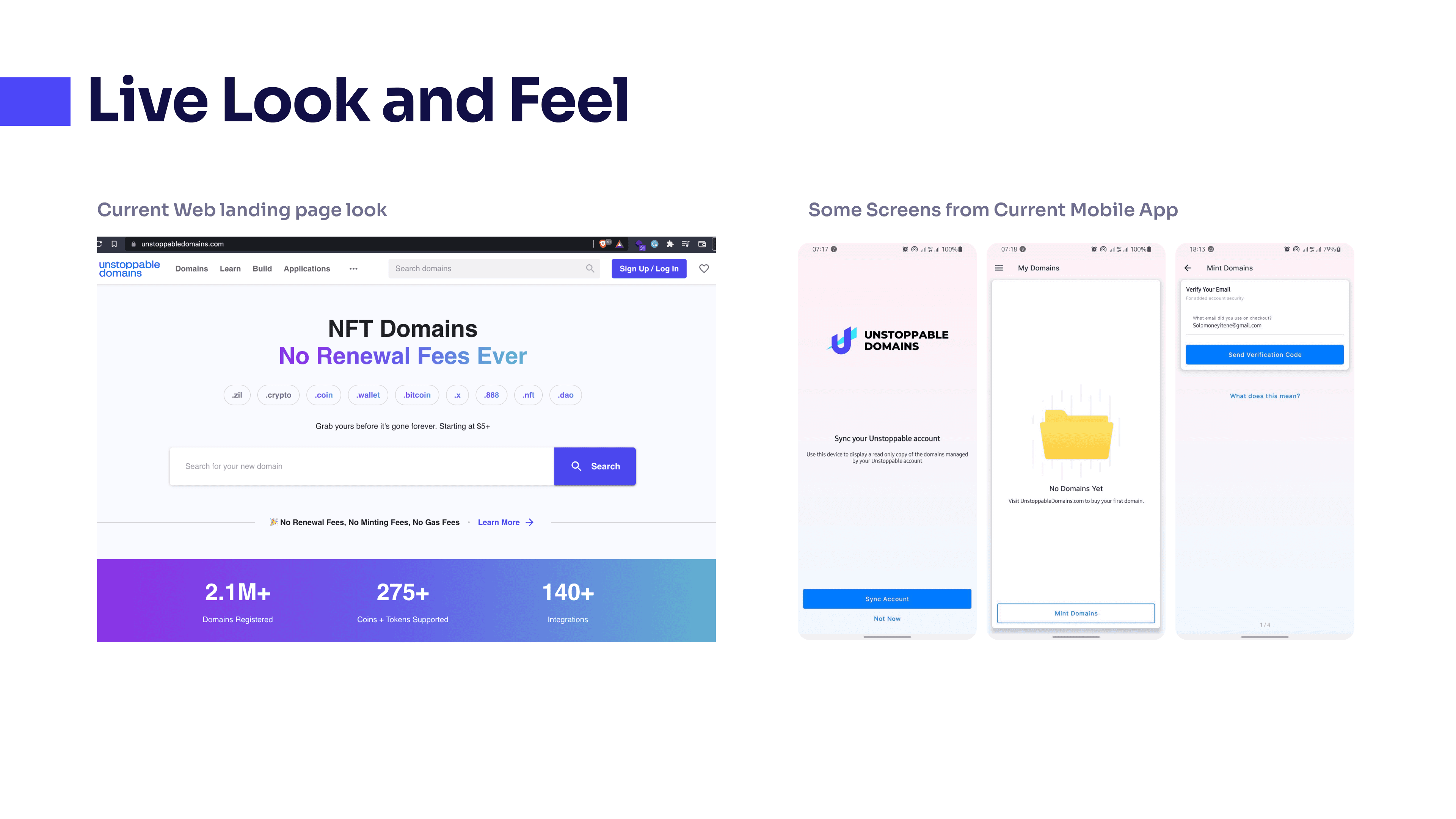
Previous version of the mobile app as compared to the landing page
Two main take-ways to point out from the existing look and feel of the app
The wrong color style is been used as on the mobile app
Gradient style used on the app is off from what is used on the website.
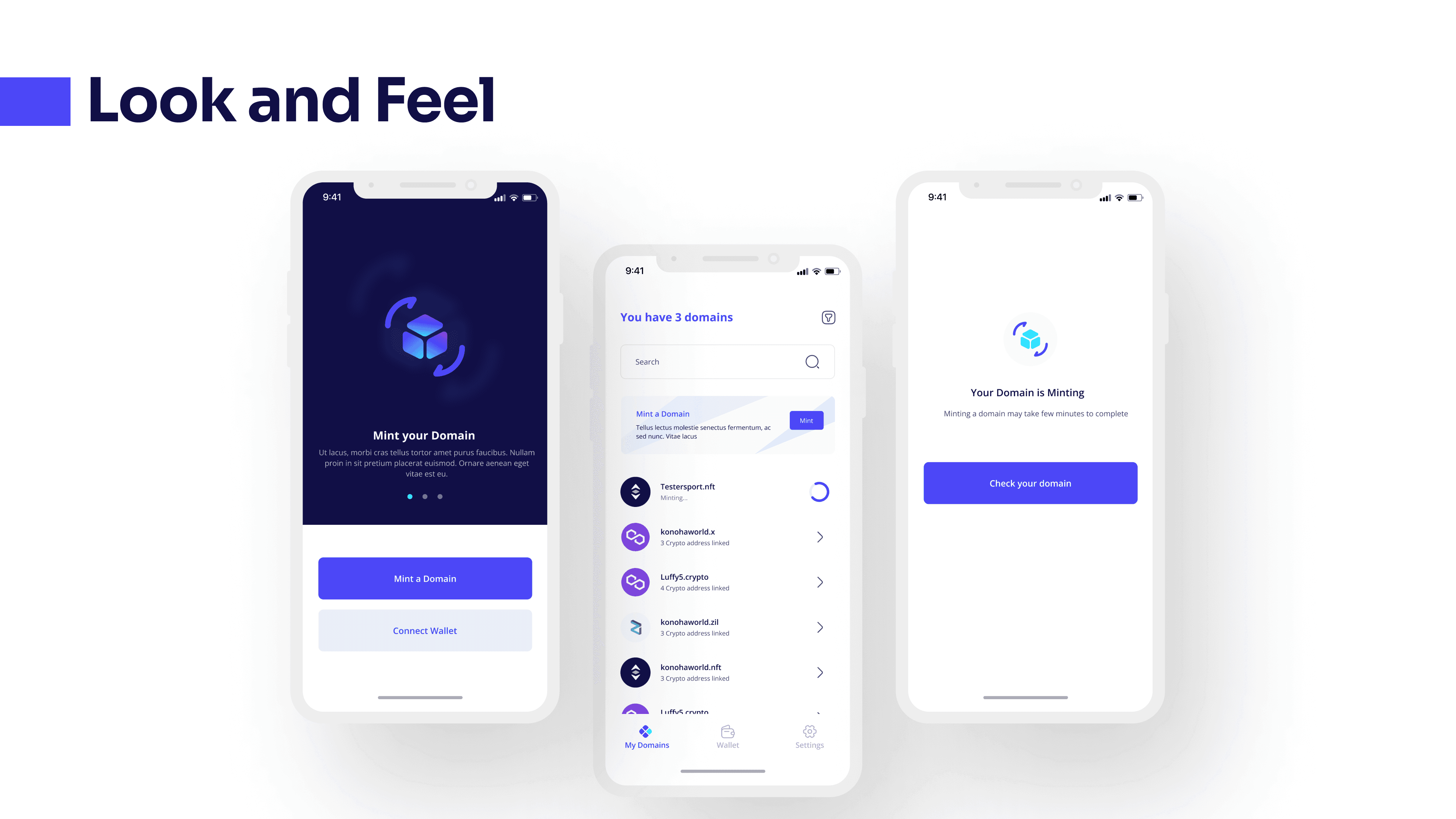
Updated App concept to match the web style guide
New Direction
Use of similar kind of gradient as that on the website as you go through your onboarding stage
Button styling maintain the color style of the brand as used on the website
General Alert/Popup and icons match the brand style guide.
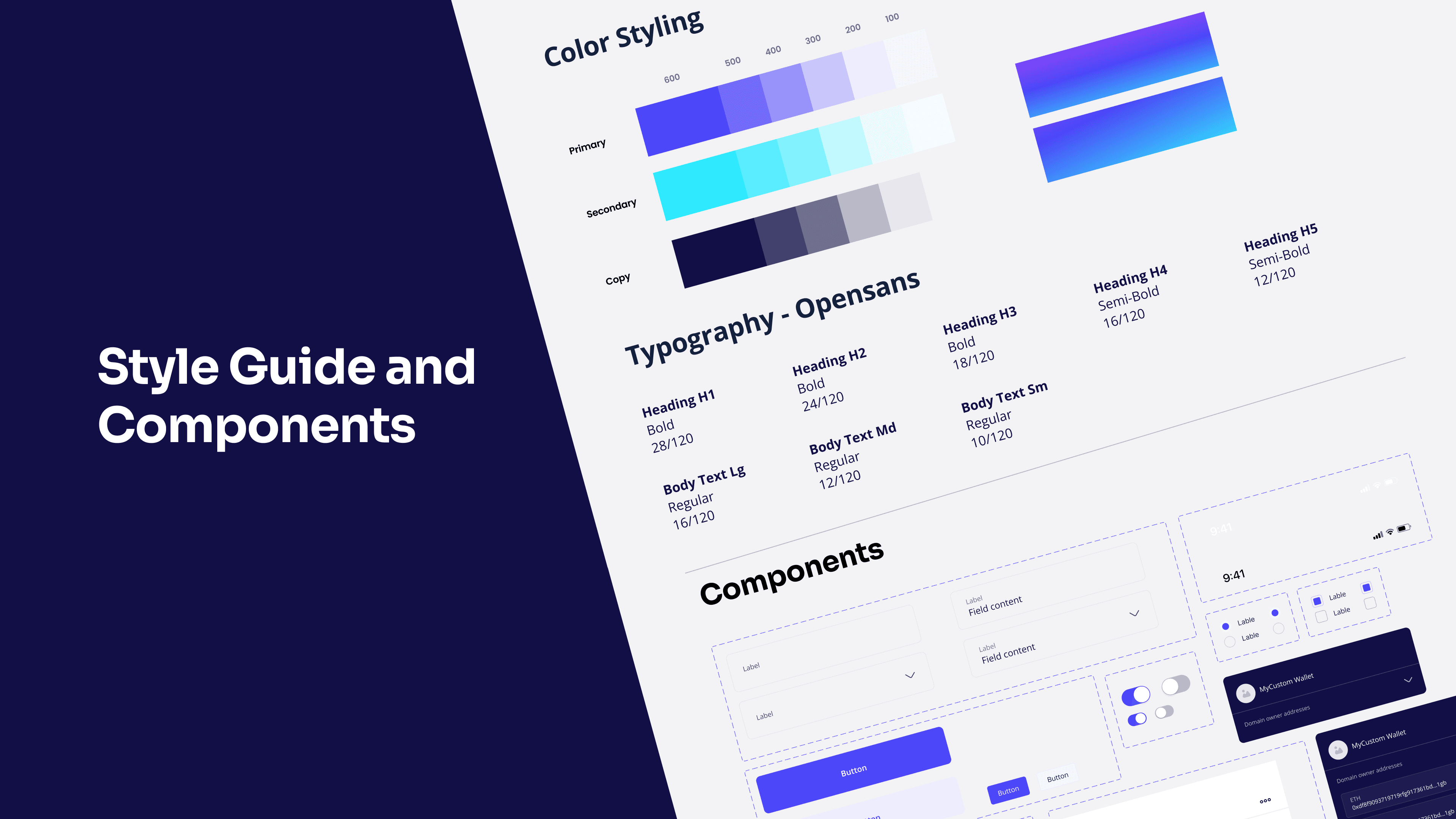
Use of similar Open sans Typeface which is currently being used on the website to ensure that users experience same kind of visual style across Web and Mobile
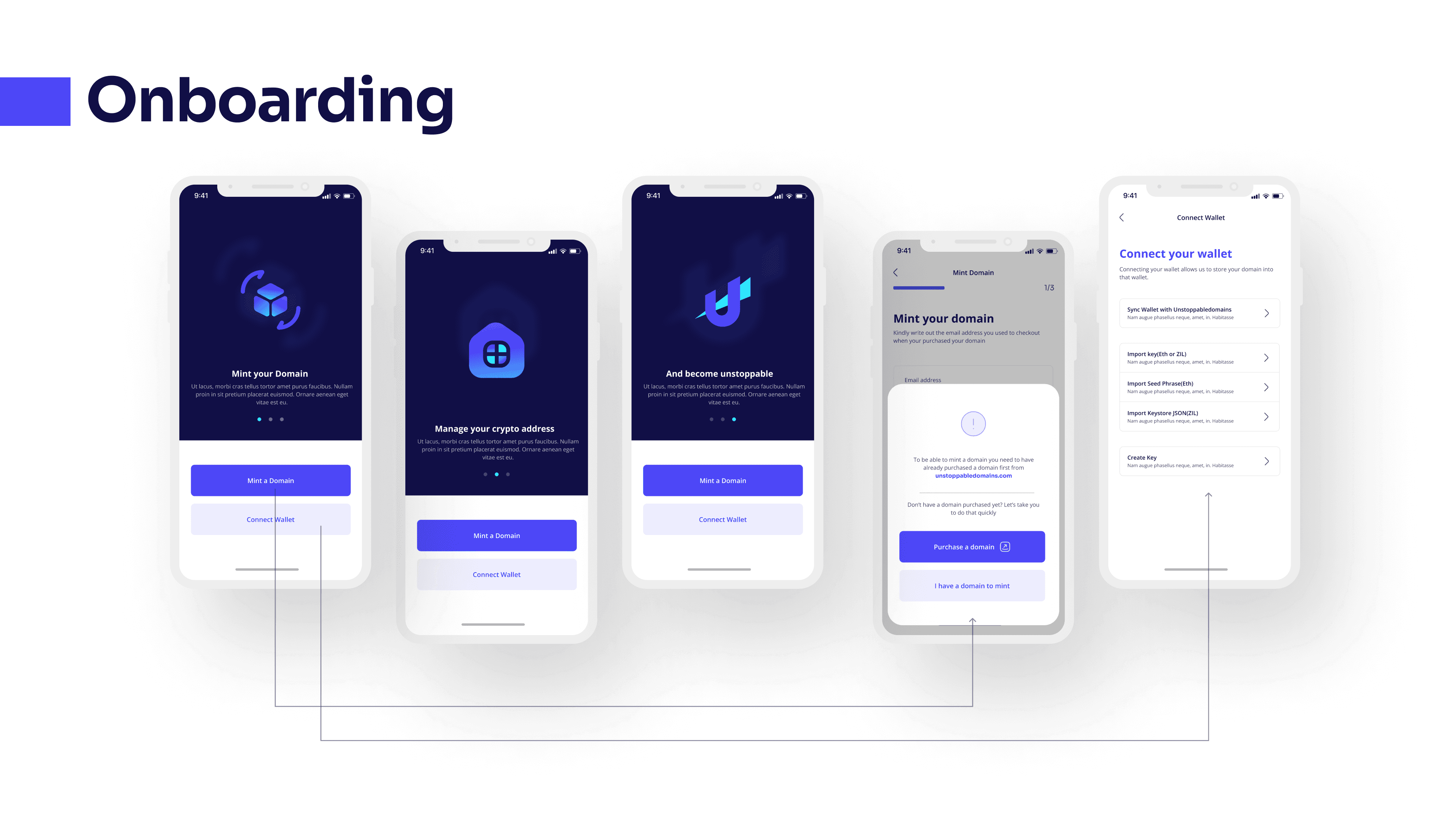
Onboarding flow
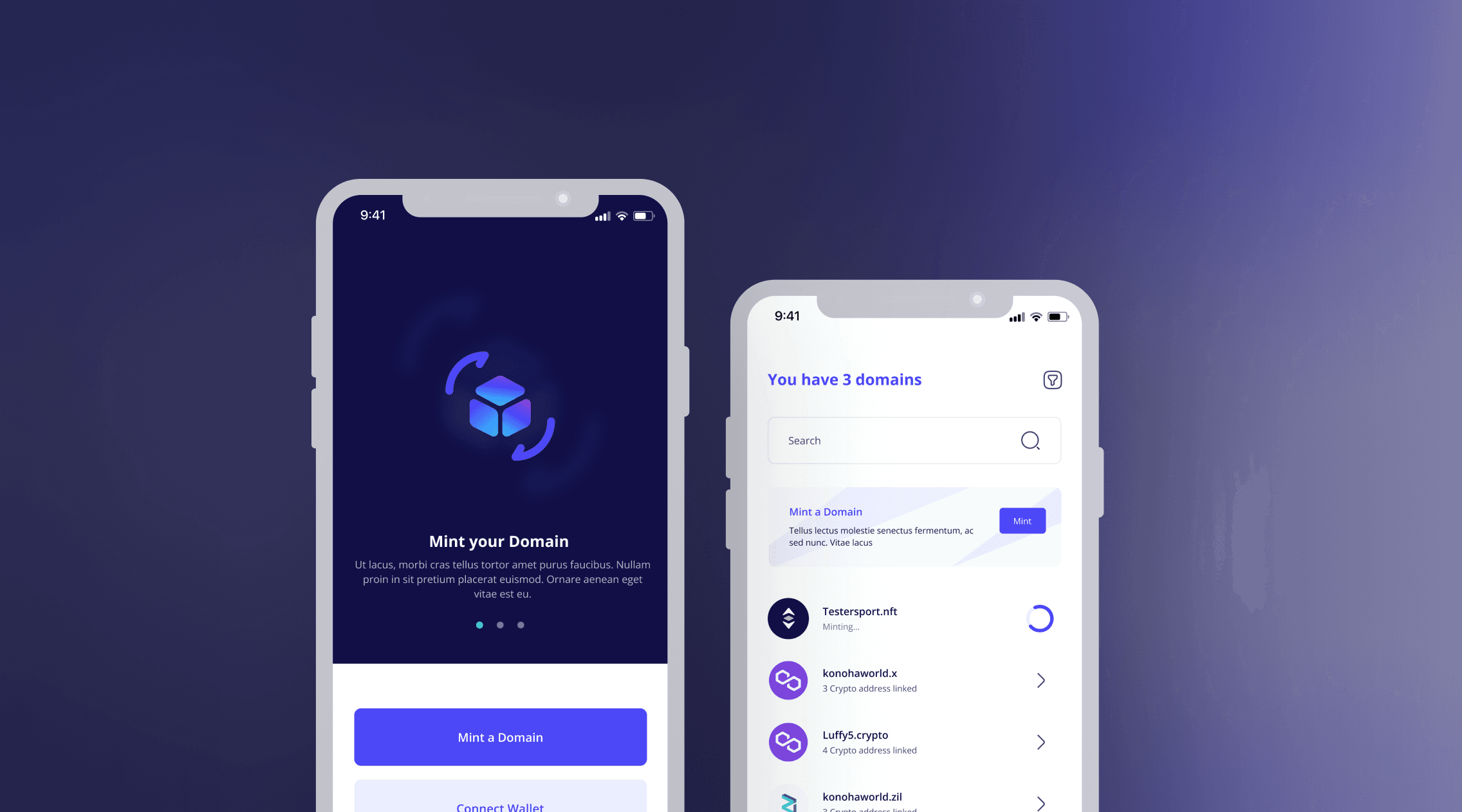
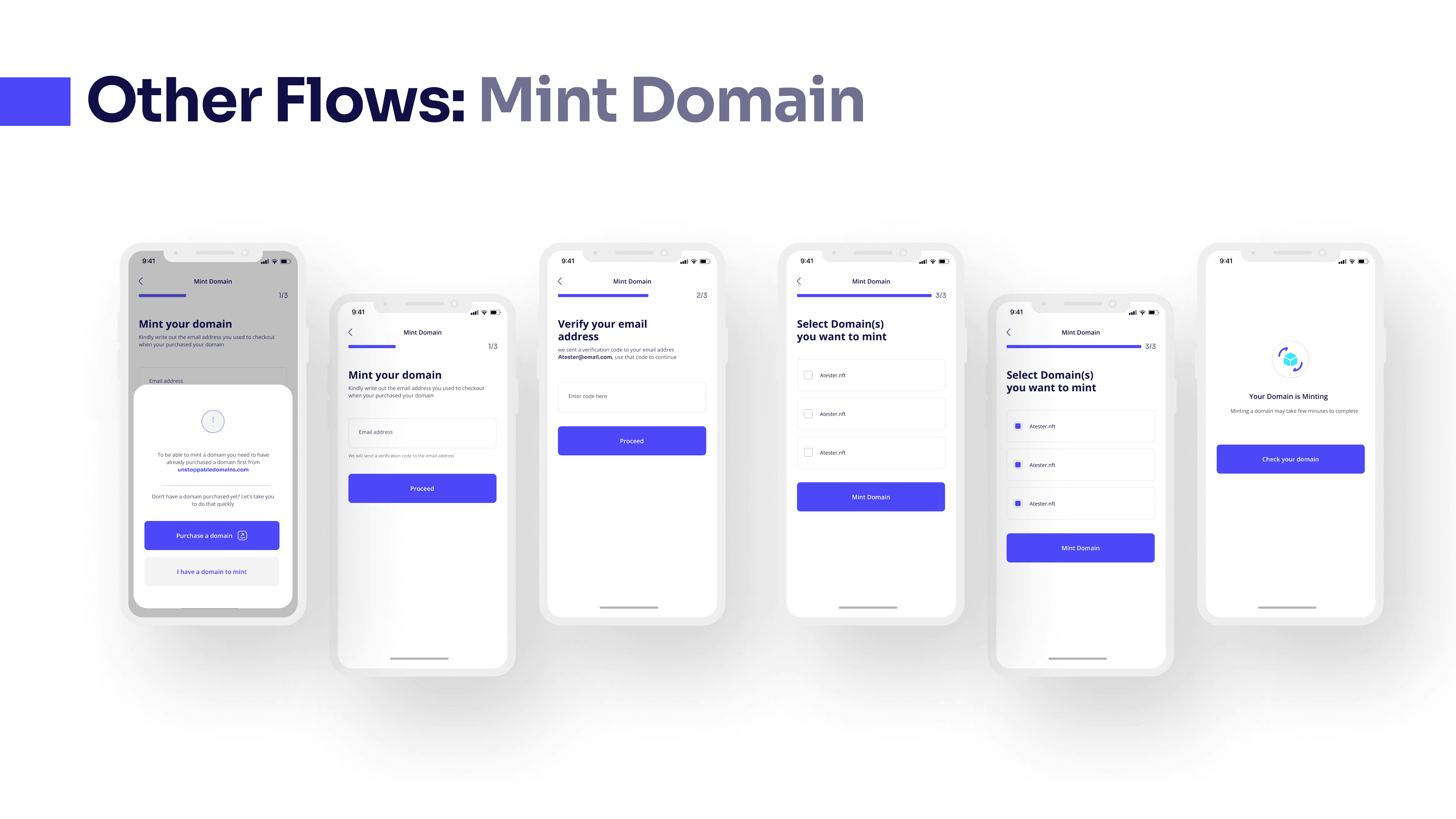
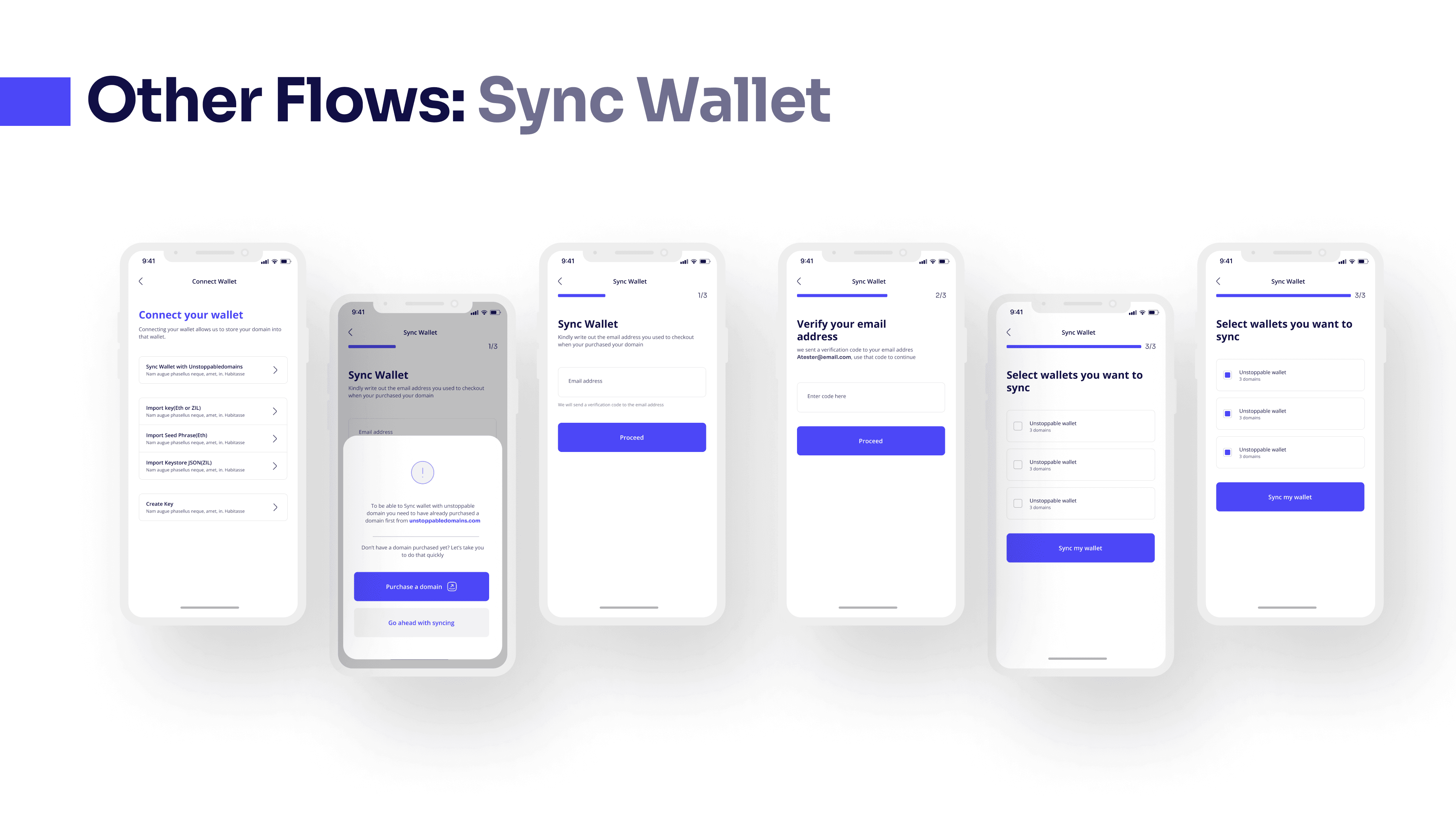
Onboarding processes helps in giving users an initial direction and explanation on what to do. The re-design follows a clear and descriptive onboarding process with two main actions to choose from which will lead the user to end up having content to interact with when they go into the main application area.
Clear CTA “Mint a Domain” and “Connect Wallet” provides users with two choices that will help them interact with the app better.
Primary Navigation
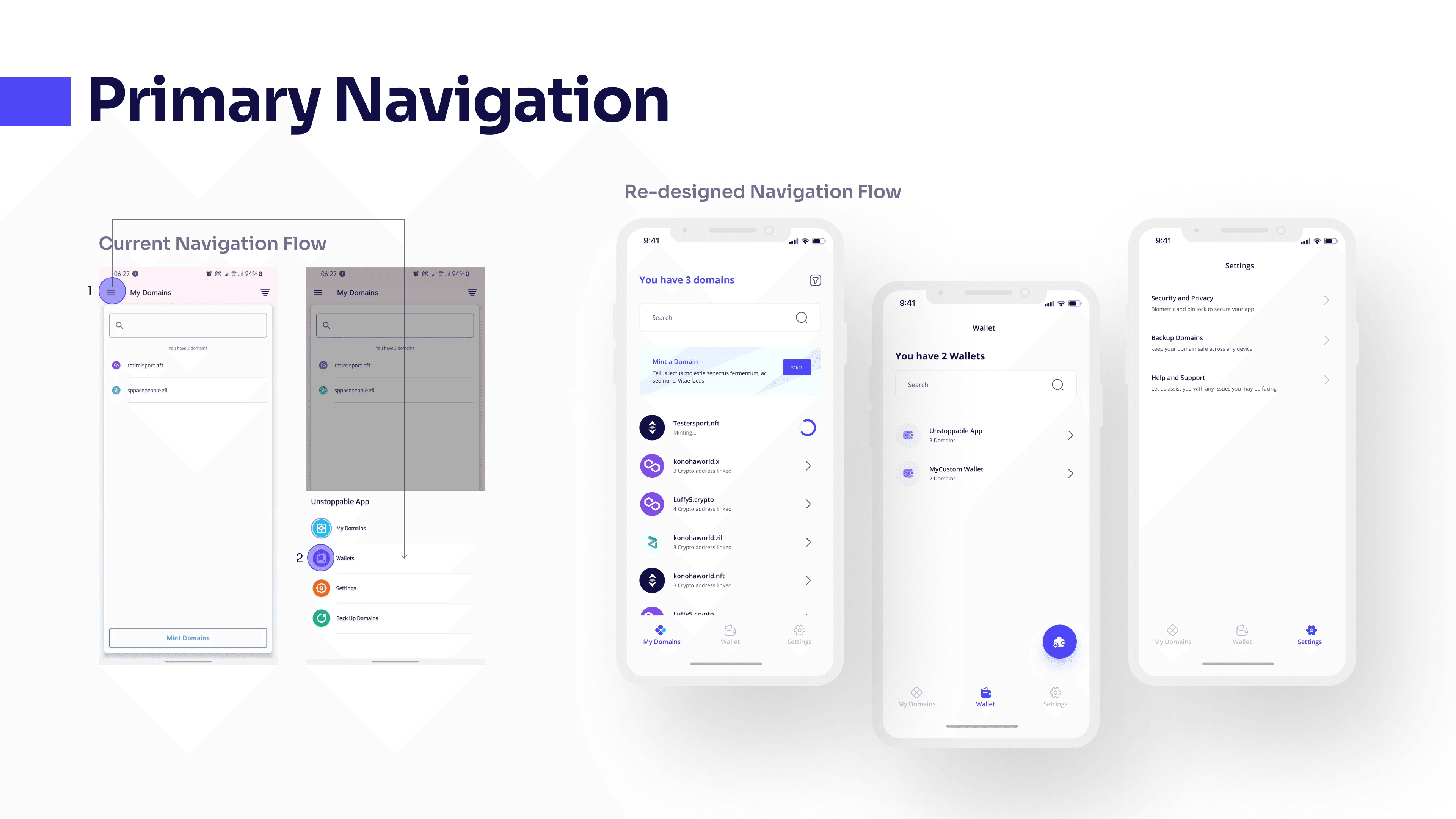
In the previous live app, aside the difficulty of always going to the top to find the menu button, It takes two Steps to go from My Domains Screen to the Wallet Screen.
The Primary Navigation has been improved to a faster and well descriptive Navigation menu which contains the major sections a user might want to visit. Backup which is also a form of settings have also been moved to the settings page.
Section Navigation
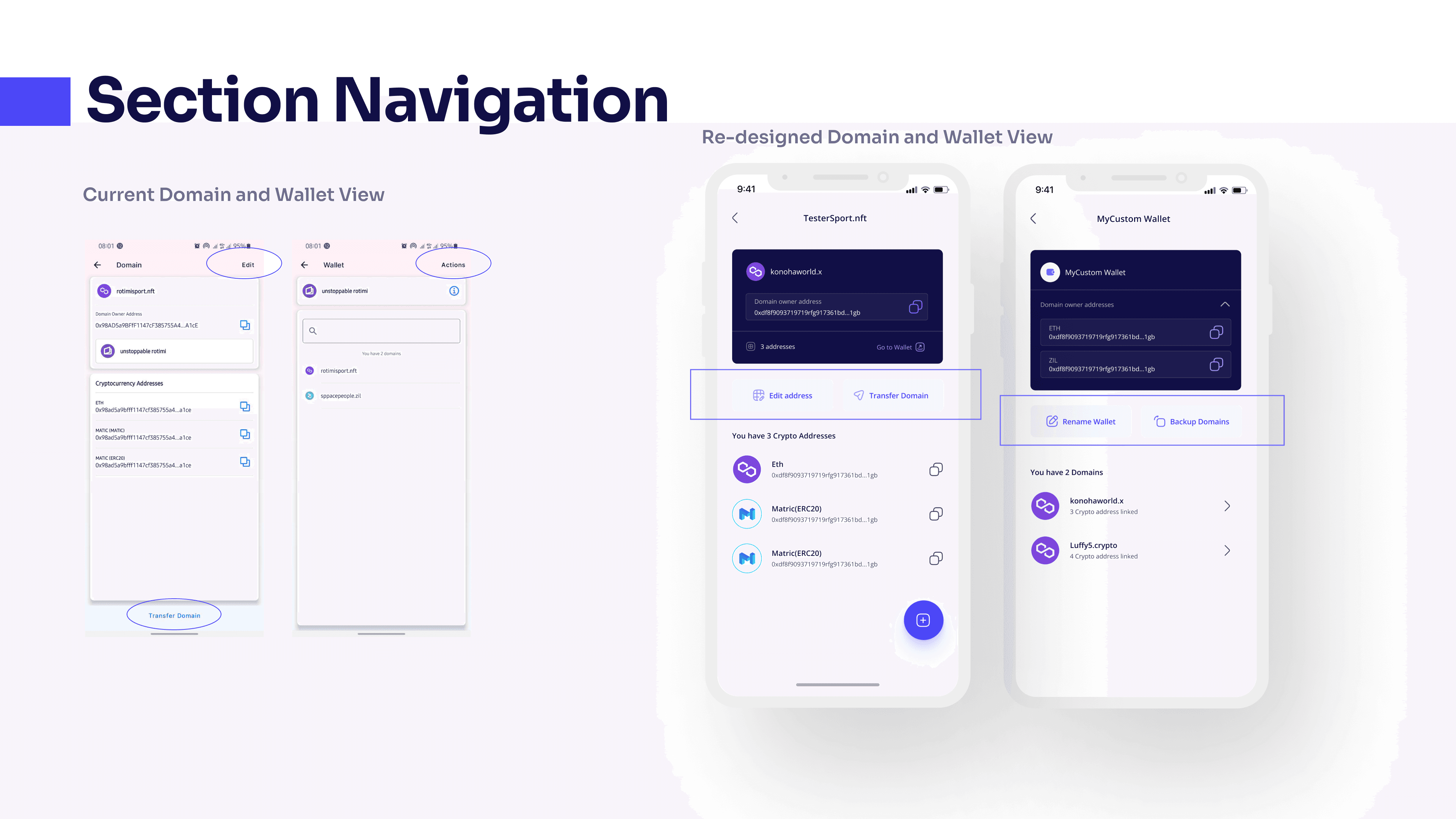
There was no clear hierarchy on what actions to take next on the Domain and wallet view
However, in the redesign, the main actions to take on each screens are placed together and made more visible to ensure users are directed clearly and can make clear decisions. Also, The design also maintains consistency to ensure that users are familiar with what to do and where to go to do them. (i.e main actions are placed and designed in the same manner in both Domain and Wallet view)
Here are some other mockups from the design
Style guide created for this concept design
Crucial points during the design process
The entire design process was really interesting and I noticed there were some crucial areas that really impacted the flow of the design
“Re-clarifying” my understanding on the problem statement guided my thought process through out the design
Working on the user journey map paved most of the path i took during the design phase.
There was a bias in choosing the right font to go with but prioritizing the solution led to making better choices
Other projects to check out