Designing an AI-powered natural-language analytics tool for Eden Care
An internal AI analytics experiment designed to help Eden Care staff instantly extract insights from complex medical and operational data using natural-language queries—without needing dashboards, SQL, or technical skills
Company:
Eden Care
My role:
Product designer
Timeline
1 week
Scope
Rapid Experiment
Context
Eden Care collects an enormous amount of operational, medical, and engagement data — everything from onboarding and clinic visits to HR records, claims, wellness sessions, and member activity.
But internal teams (RMs, HR partners, care teams, operations) struggled to use that data because they:
Didn’t have technical or SQL skills
Found dashboards difficult or time-consuming
Spent hours preparing reports
Had trouble spotting trends or high-risk members fast
The AI team wanted to explore a new idea
Could staff simply ask questions in plain English and get instant insights, tables, charts, and summaries?
What was the challenge?
How do we help non-technical staff access complex analytics using natural language, without teaching them dashboards, queries, or data structures?
This required an interface that felt:
Extremely simple
Trustworthy
Transparent in how AI generates insights
Fast for everyday workflows
Our goal
Design a lightweight, testable version of an AI analytics tool where staff can type natural-language questions and get Tables, Dynamic charts that AI provides based on the kind of data prepared, Clear narrative summaries, expandable views showing how AI arrived at the result. Everything had to be easy to implement, fast to prototype, and clear enough for stakeholders to validate.
Experimental version designed
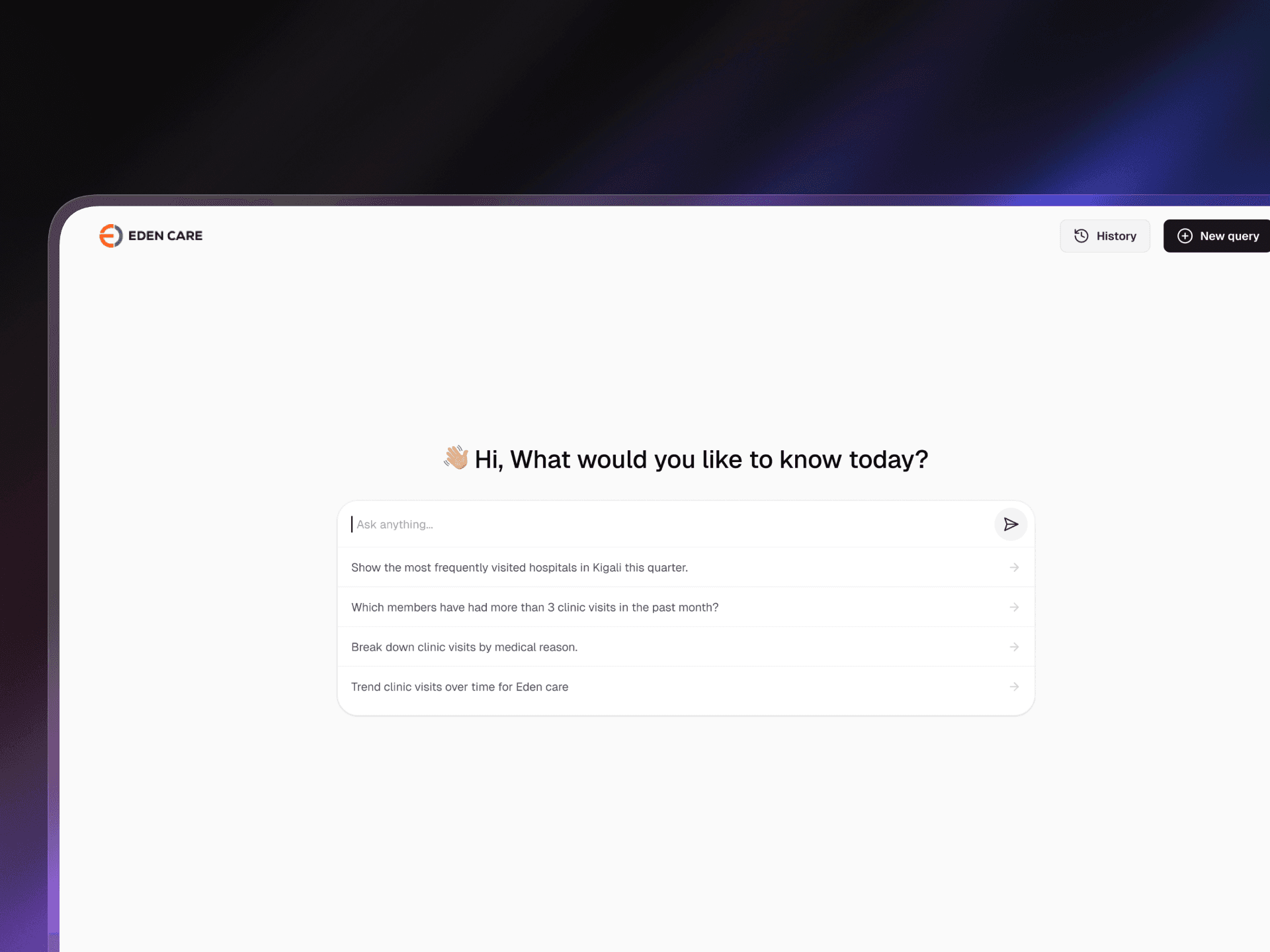
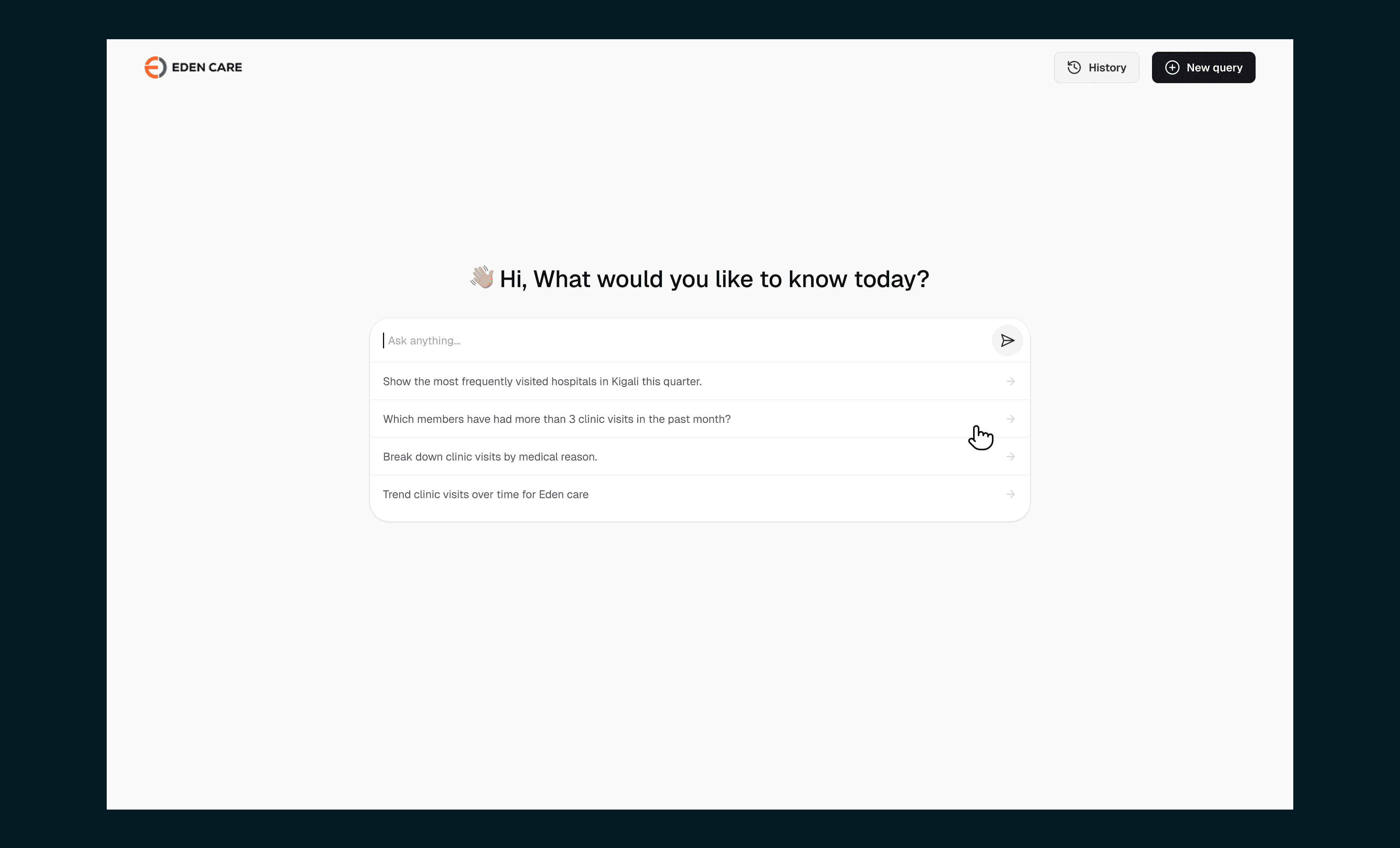
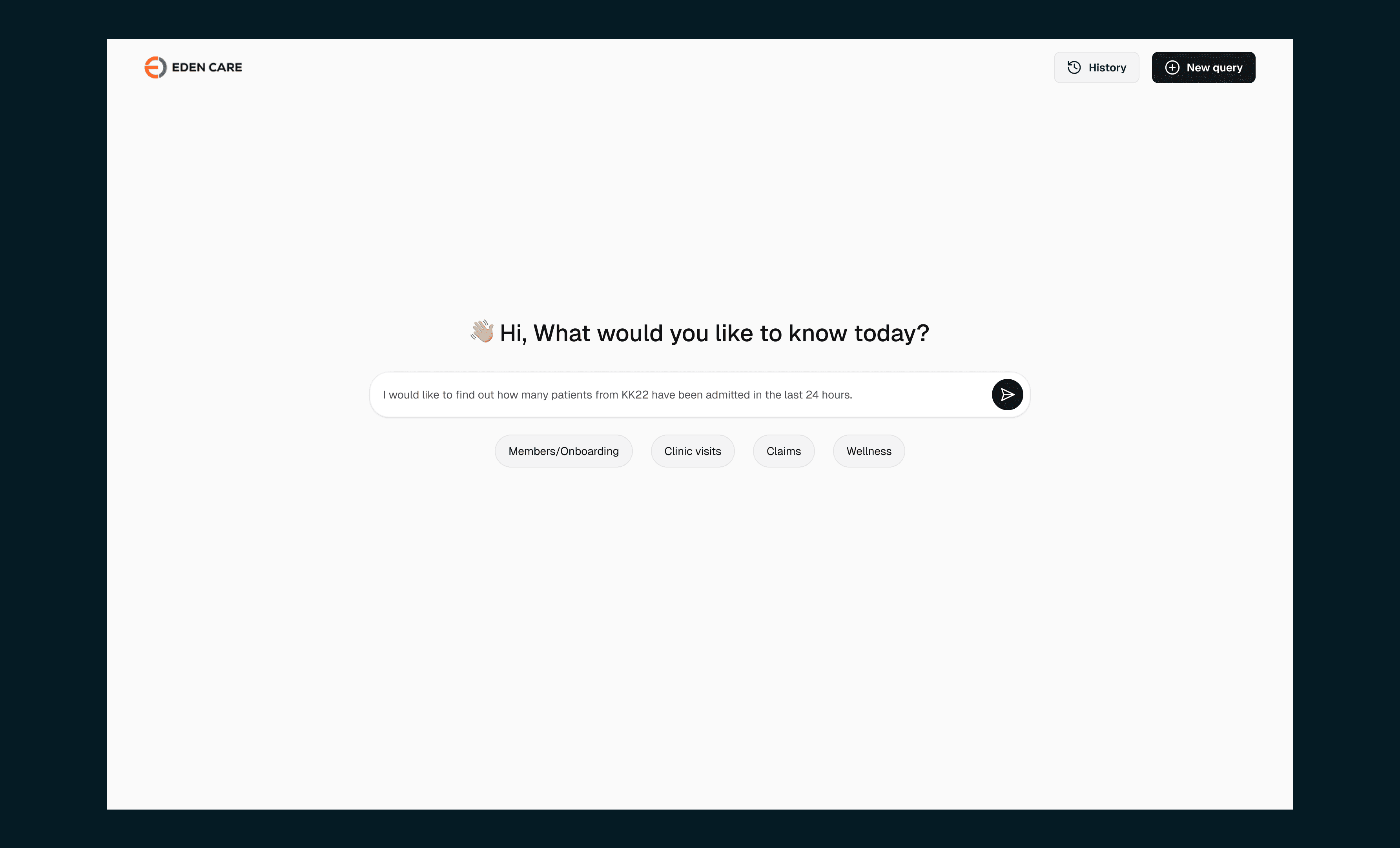
Natural-language query input
A simple, inviting input where staff can type questions such as "Show me the top 5 most frequent clinic visits among users aged 25–40 last month" or choose from suggested ideas shown. The system interprets the query, pulls the right data, and formats the output automatically.
Process and transparency view
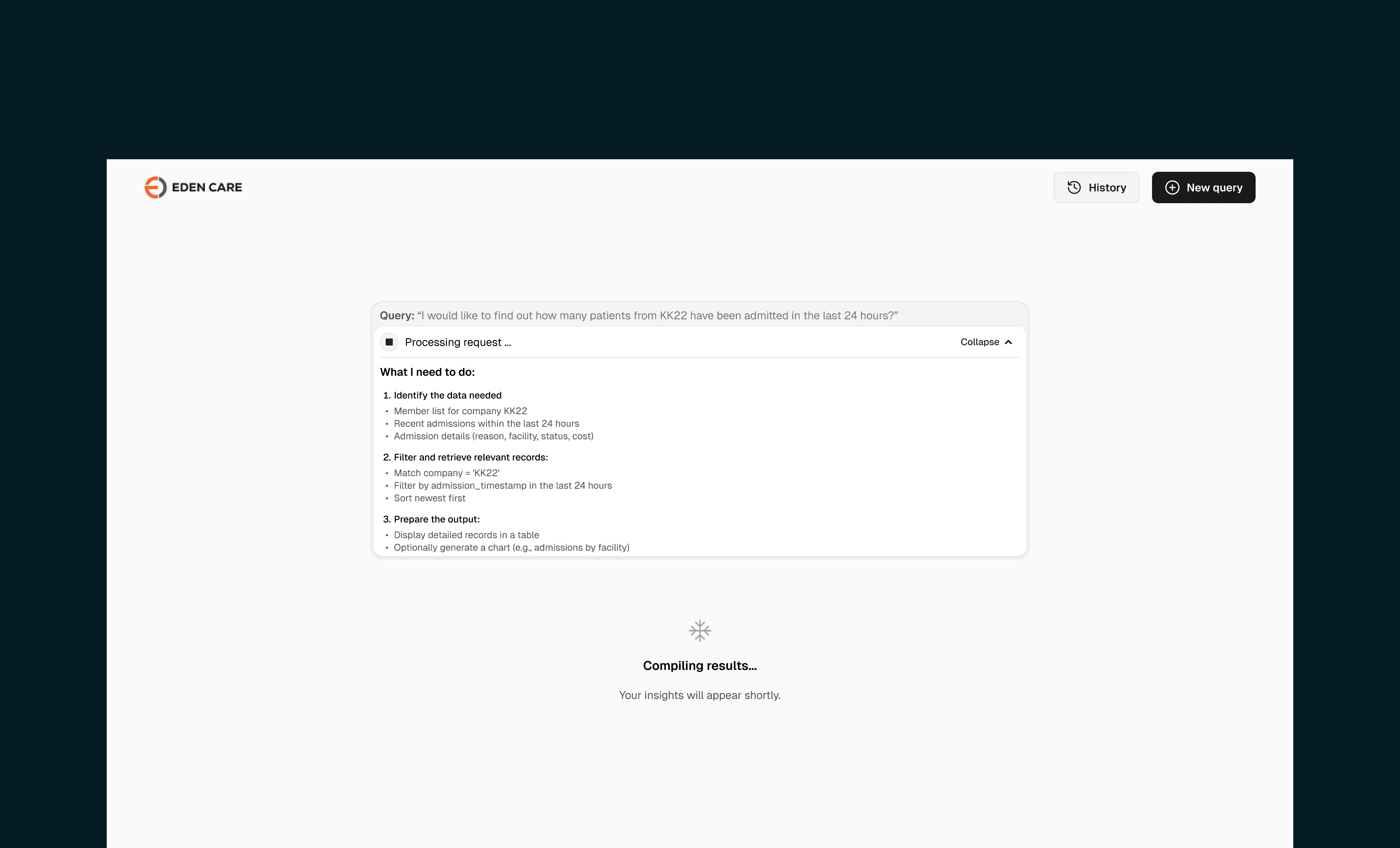
To build trust, users can expand a panel showing:
How the LLM parsed their question
The intermediate steps
The MongoDB query generated behind the scenes
This helped the AI team debug early outputs and also reassured stakeholders that the system was reliable, not a “magic box.”
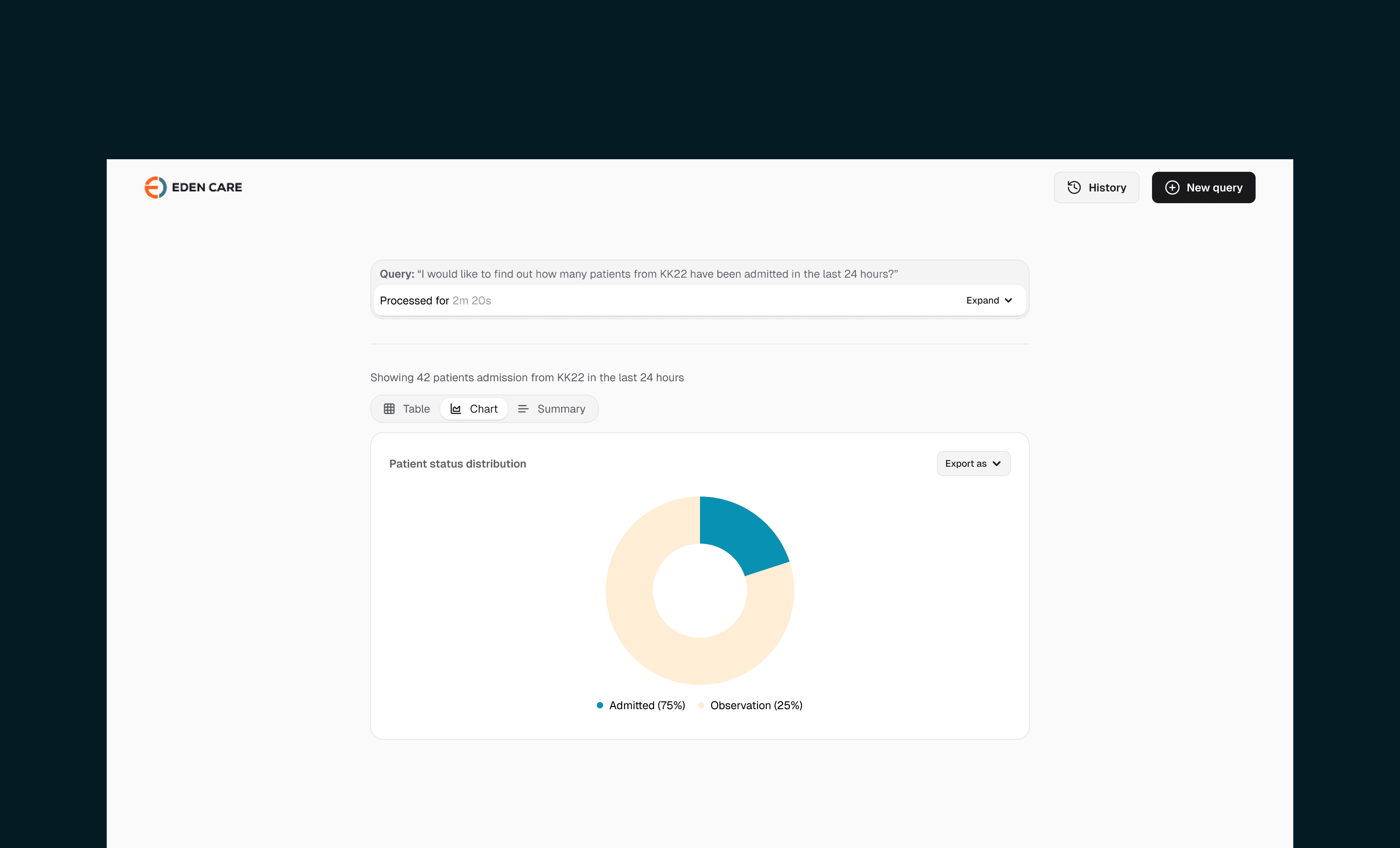
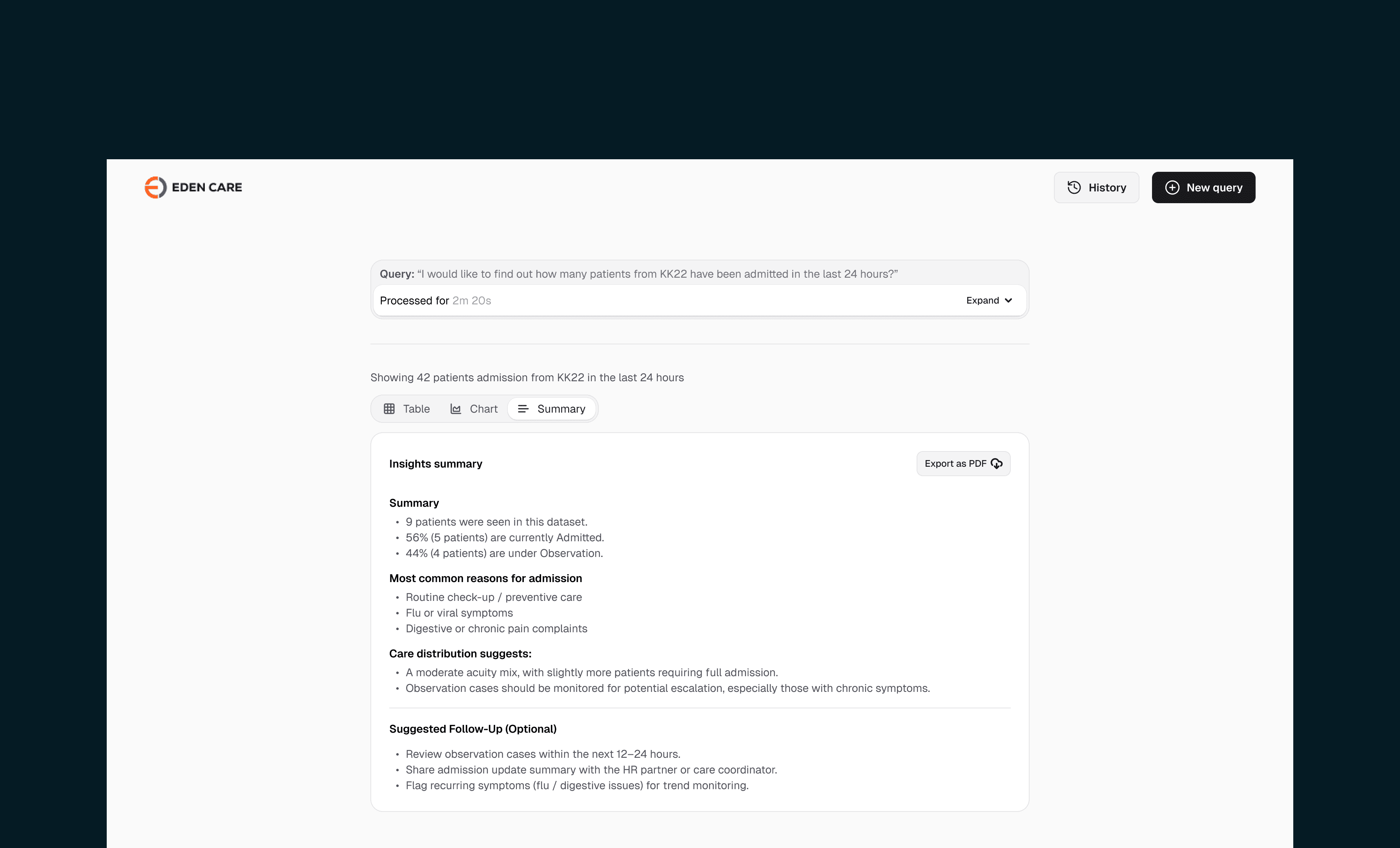
Dynamic result screen
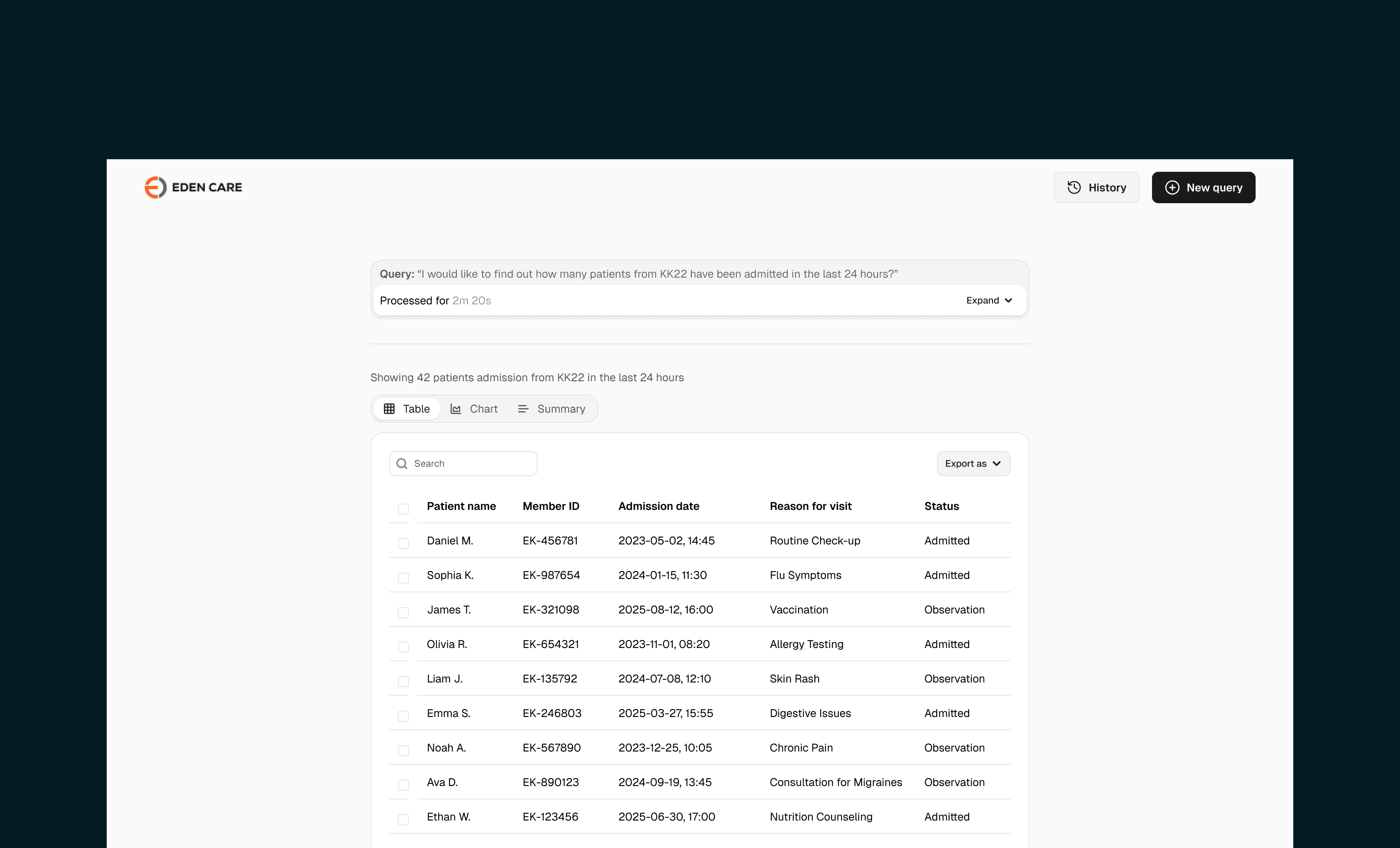
Results appear in a clean 3-tab layout:
Table: Structured data in rows and columns
Chart: Auto-generated chart types based on the dataset (pie, bar, line, etc.)
Summary: Short narrative insights + next steps the user can take
This gave non-technical staff a powerful, easy-to-digest way to understand what the data meant — without dashboards or SQL.
Impact
Early validation showed strong potential for the AI analytics tool:
~70% of stakeholders responded positively and approved the concept for further development.
Potential to replaced a workflow that typically took 3 days (DB checks + SQL + reporting) with an instant 5-minute natural-language query.
Enabled non-technical staff to get insights without relying on tech teams, freeing engineers to focus on higher-value work.
Delivered a transparent reasoning view that increased trust and helped the AI team debug responses more efficiently.
These results confirmed that natural-language analytics could significantly reduce bottlenecks and make Eden Care’s data more accessible across teams.
Key learnings and refelction
This experiment reinforced that AI’s true power comes from fitting into real workflows and not reinventing them.
My role was to make advanced analytics feel simple, transparent, and accessible to anyone at Eden Care and my takeaway from this experiment was that:
Experiments should be simple.
I learned to strip away advanced ideas and focus on the smallest version that communicates value clearly.
Visual trust matters.
Showing the AI’s reasoning steps built credibility and helped stakeholders understand the system better.
Other projects to check out